Studio piece
AI product videos
AI product videos built from your real product: your screens, your packshots, your 3D files. Scripted, boarded and planned in 3D, then generated, animated, scored and mixed in one studio.
Service reel, Studio piece
Deliverables and formats
16:9
Web and launch pages
16:9
CTV
9:16
Social
1:1
Social
4:5
Feed
From $10 per second
Estimate yoursHow it works
Program
01 / 06BriefThe product, the audience, the one thing a viewer should understand and where it runs.
01 / Brief
The product, the audience, the one thing a viewer should understand and where it runs.
02 / Script and boards
Script, voiceover script and a frame for every shot, screens and close-ups included.
03 / 3D previs
Your product at real scale in Blender, with every camera move locked for sign-off.
04 / Production
Shots generated from your product references and checked against them.
05 / Motion and sound
Interface animation, callouts, grade, original music and the final mix.
06 / Delivery
Masters, cutdowns and stills for your site, social and ads.
In depth
A product video has to answer one question in the viewer's head: what does this do for me? AI product videos answer it without a studio shoot. There's no set to build, no prototype to light and no screen to film off a monitor. We still direct every shot: the framing, the lens, the light and the move, each chosen for one line of the script.
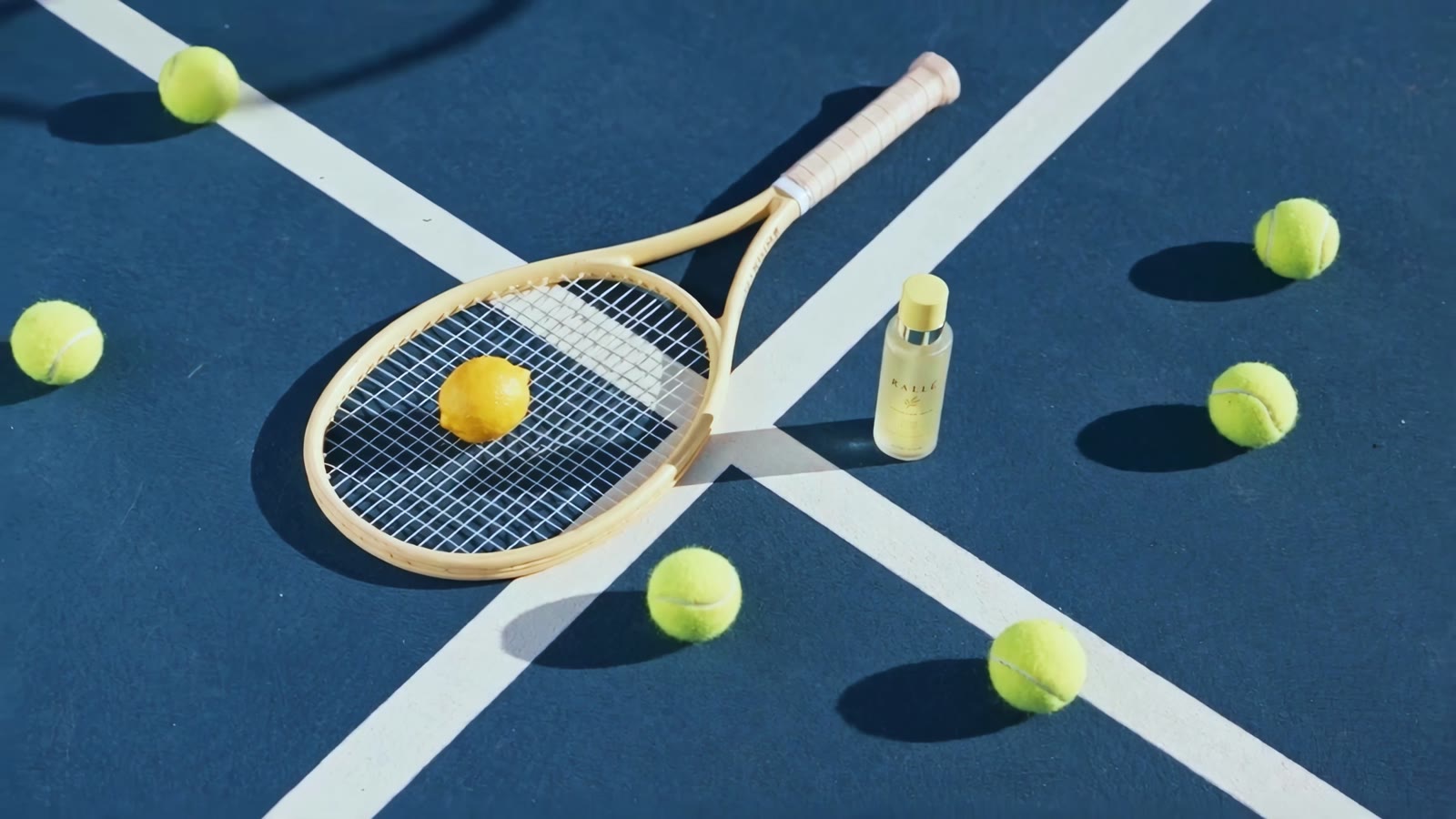
Without a set, the product can go wherever the script sends it. A watch can turn under a single beam of light at macro distance. An app can sit on a phone in a commuter's hand, then cut to the interface full screen. A serum bottle can stand on a wet rooftop at dawn. Each shot carries one point from the script, or it comes out.
The product on screen has to be the one you sell, down to the hinge and the stitching.
For physical products, send what you have: packshots, photos from every side, dimensions and a 3D model if one exists. The product goes into the 3D previs at its real size, so a bottle never stands taller than the hand holding it. We agree the hero angles with you at the storyboard, note the surfaces that are hardest to get right, like brushed metal, frosted glass and woven fabric, and check every close-up against your references before it goes in the cut.
For SaaS products and apps, we don't ask a model to invent your interface. A video model can't know your menus, your data or your button labels, and small generated type tends to warp. So we build interface shots from your real screens and design files, animate them in motion graphics, and place them into the generated scenes: a phone on a kitchen counter, a laptop on a train table, a dashboard on an office wall. Every label, number and button on screen is yours.
Most product work takes one of three shapes, and each one plays somewhere different.
A launch film introduces the product: the problem, the reveal, the first look at it working. It leads the launch page, plays at the launch event and sits pinned at the top of your profiles.
An explainer walks through how the product works, one feature at a time, with a voiceover and callouts that mark each step. It lives on the product page, in onboarding emails and in sales decks.
A product promo is short and made for feeds: the product in the first frame, one benefit, one end card. When you need a set of variants to test, that's AI video ads.
We plan the master and the cutdowns together. The 9:16 version is boarded for vertical from the start, not cropped from the 16:9 master later. Stills come from the same shots, for your product page, store listing and launch email.
The first call covers the product, the audience, the one thing a viewer should understand, where the video runs and when you launch. A schedule and quote follow it.
We write the script and voiceover script, then draw a frame for every shot, screens and close-ups included. In Blender we block the camera moves around your product, and you sign off the previs before anything is generated.
Then we make the shots, build the interface animation and callouts, and cut. The color grade, original music and final mix go on last. Your notes come in at three points: script and boards, previs, then the cut. Delivery is the master, the cutdowns and the stills, each one named and sized for where it runs.
FAQ
Choose a line
PAGE 01.
INT. EXSALE STUDIO. DAY
EXSALE
We build every shot from references you send: packshots, photos from every side, dimensions and a 3D model if you have one. Each shot is checked against them for shape, color, label and logo before it goes into the cut. Interface shots use your real screens, animated in motion graphics, so the words and numbers on screen are yours.
CUT TO:
Book a call (Opens in a new tab)PAGE 02.
INT. EXSALE STUDIO. DAY
EXSALE
No. Renders, a prototype, design files or a staging build are enough to script and board. Tell us which parts may still change before launch, and we keep those screens on separate layers in the edit so they can be updated before delivery.
CUT TO:
Book a call (Opens in a new tab)PAGE 03.
INT. EXSALE STUDIO. DAY
EXSALE
It depends on where it plays. A launch film on your site can take its time, while a promo in a feed has to show the product in the first frame. We recommend lengths on the first call and cut every version from the same master.
CUT TO:
Book a call (Opens in a new tab)PAGE 04.
INT. EXSALE STUDIO. DAY
EXSALE
We start from one question: what should a viewer understand after watching? The script answers it in plain words, the boards show it shot by shot, and callouts mark each step on screen. Your product team signs off the script before anything is made.
CUT TO:
Book a call (Opens in a new tab)PAGE 05.
INT. EXSALE STUDIO. DAY
EXSALE
Yes. A campaign film has to show the problem, the product solving it and a reason to back it now, before the viewer scrolls past. We script, board and finish it like a launch film, with shorter cuts for ads and social.
CUT TO:
Book a call (Opens in a new tab)Services
Start a project
Book a call, or send a short brief and we'll reply by email.
Email your brief to hello@exsale.io